Hot-reload tutorial
Let your agent fix and re-test its own MCP tool, without restarting the client.
Setup
- Install Kitsune.
- Save
weather_server.pyin an empty folder. It has one bug: it reports Fahrenheit as Celsius.
Run it
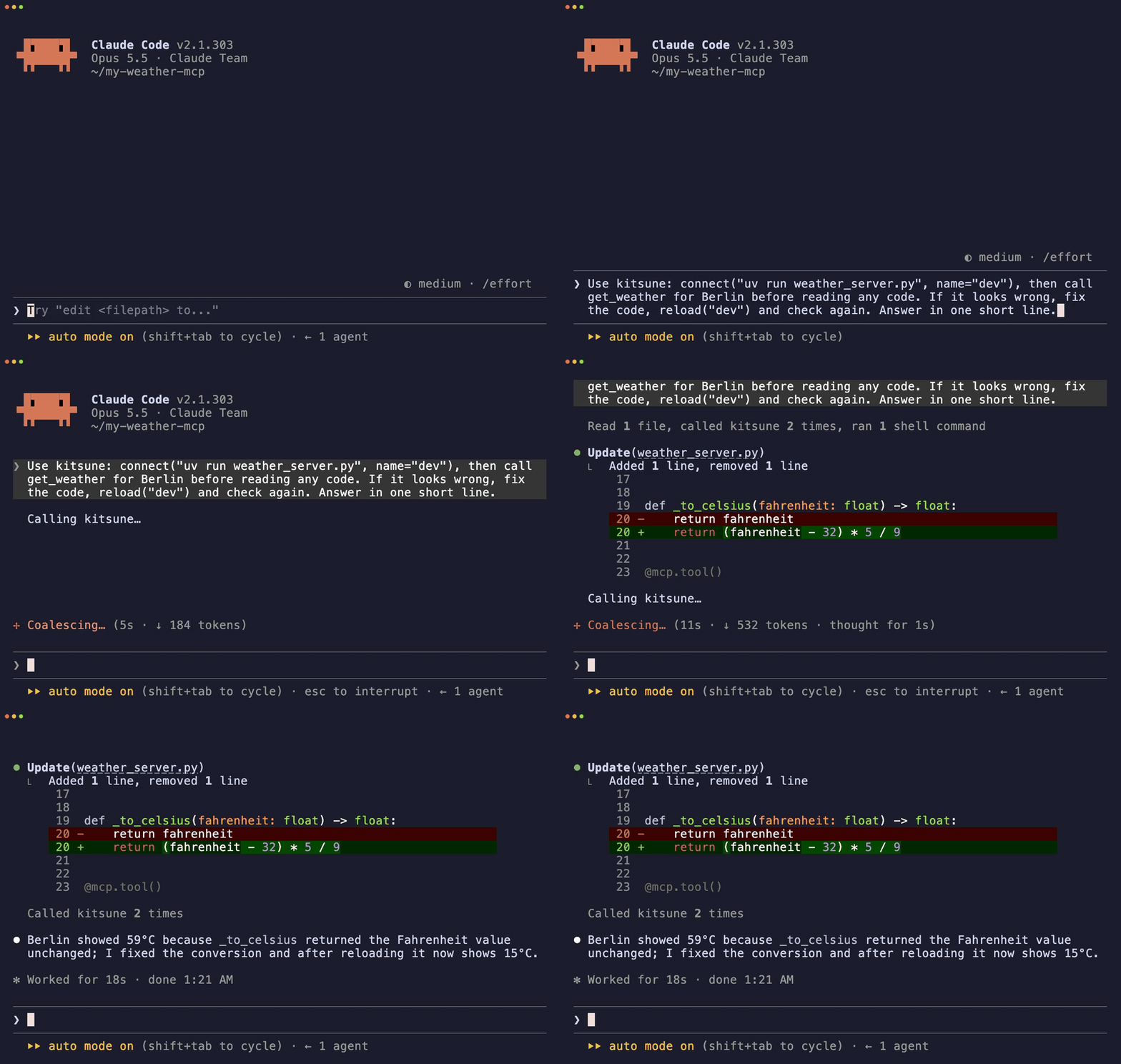
Open your client in that folder and send:
Use kitsune: connect("uv run weather_server.py", name="dev"),
then call get_weather for Berlin. If it looks wrong, fix the code,
reload("dev") and check again.
The agent calls the tool (59°C), fixes the code, reloads, and calls again (15°C).
What happens
connect("uv run weather_server.py", name="dev")  # start your server
shapeshift("dev")  # its tools appear in the client
call("get_weather", arguments={"city": "Berlin"})  # Berlin: 59°C

# the agent fixes _to_celsius()

reload("dev")  # restart on the new code
call("get_weather", arguments={"city": "Berlin"})  # Berlin: 15°C
release("dev")  # stop when done
Your own server
Swap the command. The loop stays the same.
connect("uvx --from . my-mcp-server", name="dev")  # Python package
connect("node build/index.js", name="dev")  # Node
Troubleshooting
Already connected: dev- Use
reload("dev"), orrelease("dev")first. - Tools don't appear in the client
- Your client may ignore
tools/list_changed.call()still works. Check your client. - Server crashes on start
- The traceback is in Kitsune's stderr. Fix it, then
reload("dev").